

| 일 | 월 | 화 | 수 | 목 | 금 | 토 |
|---|---|---|---|---|---|---|
| 1 | 2 | 3 | 4 | 5 | 6 | |
| 7 | 8 | 9 | 10 | 11 | 12 | 13 |
| 14 | 15 | 16 | 17 | 18 | 19 | 20 |
| 21 | 22 | 23 | 24 | 25 | 26 | 27 |
| 28 | 29 | 30 |
- Java #MacBook #macOS
- CM-EF-NEX
- 다이슨 #배터리
- Laptop #CPUID
- cycloidal #rv reducer
- k6 #피코프레소
- ESP32 #Arduino
- macro lens #EF #FD
- Linux #VirtualBox
- Arduino #Wall Plotter
- Arduino #PlatformIO #macOS
- fat32 #rufus
- ITOP40
- VNC #Firewall #CenOS7 #VMware
- centos7 #yum update #/boot
- Callaway #Mavrik #Epic Flash
- XTU #Virtual Machine System
- Octave #homebrew #macOS
- Xeon #E5-2680
- Oh My Zsh #macOS
- VirtualBox #VMware
- razer #deathadder #viper #g102
- VMware #Shared Folder
- Dell #Latitude #BIOS
- egpu #aorus gaming box #gtx1070 #tb3
- 피코프레소 #ITOP40
- Tarantula #3D 프린터
- TensorFlow #Python #pip
- 매크로렌즈 #리버스링
- x99 itx/ac
- Today
- Total
얕고 넓게
[Plotter] SW 정리 :Inkscape & J tech 본문
2026.06.23
SnapMaker를 팬 플로터로 사용하려고 보니 기존 글들이 정리가 안되어 있다.
https://blackonyxkr.tistory.com/207
[3DP] KP3S Laser 추가: 2D 프린트
2024.05.17유튜브 알고리즘에서 궁금했던 것이 나왔다.https://www.youtube.com/watch?v=CuWZWAfBsm8이미 5년전에...Inkscape의 extension, plug-in 을 이용https://jtechphotonics.com/?page_id=2012 Inkscape Laser Plug-In - J Tech Photonics
blackonyxkr.tistory.com
https://blackonyxkr.tistory.com/528
[3DP] XY Plotter 최종본 (아마도)
2025.11.23일단 ENDSTOP 스위치를 붙이기 위해 마운트 제작모서리를 처리하기 위해 r_cubu 라는 함수 생성module r_cube(x,y,z, r){linear_extrude(height=z) translate([r, r, 0]) offset(r=r) square([x-r*2,y-r*2]);//, center=true);}2
blackonyxkr.tistory.com
여기 내용을 참고로 다시 정리
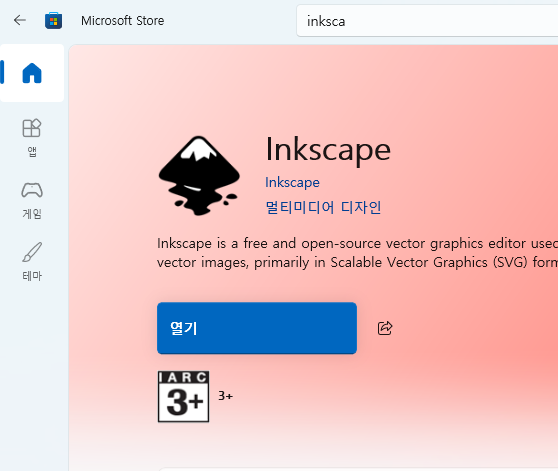
1. Inkscape 다운로드 -> 그냥 MS Store에서 설치했다.
2. 플러그 인 다운로드 -> 아래 2개의 링크중 하나에서 J-tech 다운로드
KM-Laser도 그냥 다운로드
https://jtechphotonics.com/?page_id=2012
Inkscape Laser Tool Plug-In
Learn how to install and use the J Tech Photonics Laser Tool plugin for Inkscape to create laser-ready G-code for engraving and cutting.
jtechphotonics.com
https://github.com/JTechPhotonics/J-Tech-Photonics-Laser-Tool
GitHub - JTechPhotonics/J-Tech-Photonics-Laser-Tool
Contribute to JTechPhotonics/J-Tech-Photonics-Laser-Tool development by creating an account on GitHub.
github.com
https://github.com/KnoxMakers/KM-Laser
GitHub - KnoxMakers/KM-Laser: Inkscape extension for Knox Makers Laser Cutter
Inkscape extension for Knox Makers Laser Cutter. Contribute to KnoxMakers/KM-Laser development by creating an account on GitHub.
github.com
3. 플러그인 설치
-> MS store에서 Inkscape를 설치하면 플러그인을 복사할 수 없다.
따라서 사용자 data에 복사
C:\Users\blackonyx\AppData\Roaming\inkscape\extensions 에 laser 디렉토리를 복사한다.
만약 inkscape\extensions 디렉토리가 안보이면 그냥 만든다.
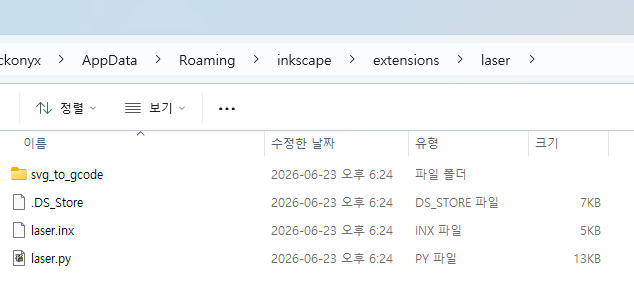
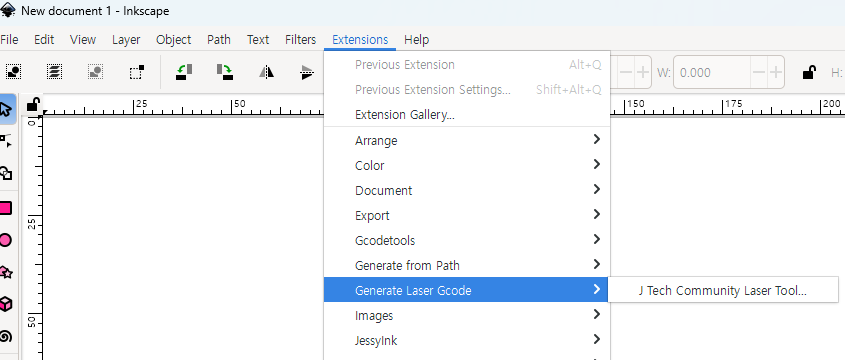
4. Inkscape 확인 -> Extension에 Generate Laser Gcode를 보면 J Tech 추가되어 있다.
5. GCode 생성
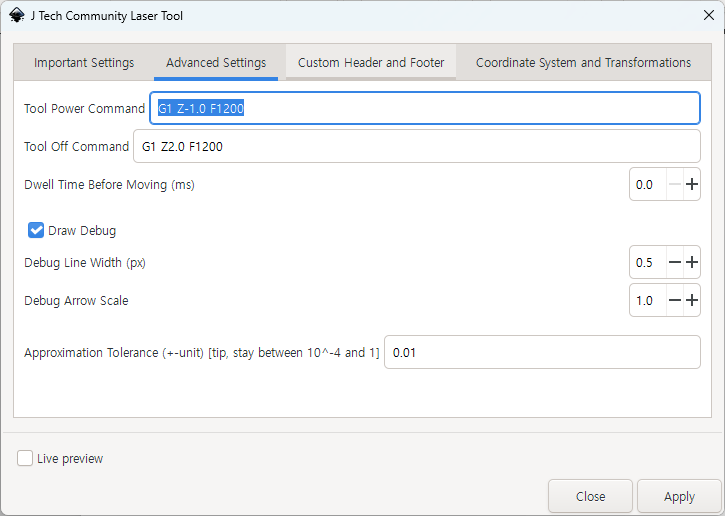
객체를 경로로 -> Generate Laser GCode -> Power On/Off 설정
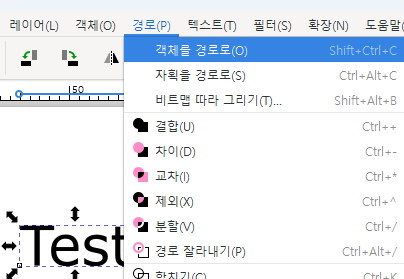

Laser On/Off 이 Pen Down/Up으로

5. 출력 -> 생성된 Gcode를 LaserGRBL을 통해서 실행
우선 LCD를 통해서 팬 원점 위치를 조절했다.
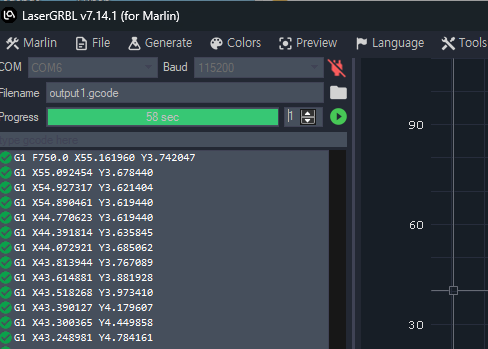
출력인 잘된다.
튜닝
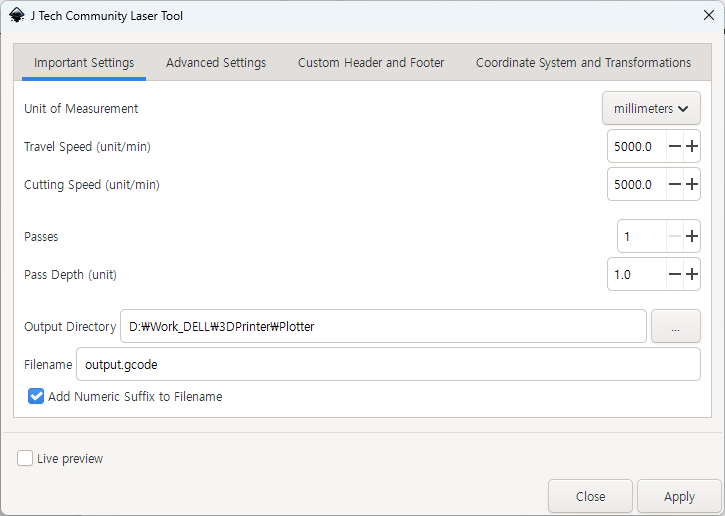
1. 원점을 종이 위쪽 1mm 정도 조정. Power On: -1mm, Off: +2mm
2. 원래 Laser용 속도가 750 이라 5000까지 늘렸다.

'IT > 3D Printer, CNC' 카테고리의 다른 글
| [CNC] 3중 나선 모델링 @OpenSCAD (0) | 2026.06.27 |
|---|---|
| [3DP] Snapmaker 모듈, 제어보드 분해 (0) | 2026.06.07 |
| [3DP] Marlin & Mods @Snapmaker Original (0) | 2026.06.03 |
| [3DP] Snapmaker 레일 분해: 유지 보수 (1) | 2026.06.03 |
| [CNC] 비트 관련 용어 정리 @Snapmaker (0) | 2026.06.03 |


