

Notice
Recent Posts
Recent Comments
Link
| 일 | 월 | 화 | 수 | 목 | 금 | 토 |
|---|---|---|---|---|---|---|
| 1 | 2 | 3 | 4 | 5 | 6 | |
| 7 | 8 | 9 | 10 | 11 | 12 | 13 |
| 14 | 15 | 16 | 17 | 18 | 19 | 20 |
| 21 | 22 | 23 | 24 | 25 | 26 | 27 |
| 28 | 29 | 30 |
Tags
- 다이슨 #배터리
- cycloidal #rv reducer
- ITOP40
- Linux #VirtualBox
- VNC #Firewall #CenOS7 #VMware
- Arduino #PlatformIO #macOS
- Dell #Latitude #BIOS
- razer #deathadder #viper #g102
- centos7 #yum update #/boot
- Callaway #Mavrik #Epic Flash
- XTU #Virtual Machine System
- macro lens #EF #FD
- 피코프레소 #ITOP40
- Oh My Zsh #macOS
- VirtualBox #VMware
- fat32 #rufus
- Laptop #CPUID
- ESP32 #Arduino
- CM-EF-NEX
- egpu #aorus gaming box #gtx1070 #tb3
- Octave #homebrew #macOS
- TensorFlow #Python #pip
- Arduino #Wall Plotter
- VMware #Shared Folder
- Java #MacBook #macOS
- Xeon #E5-2680
- 매크로렌즈 #리버스링
- Tarantula #3D 프린터
- k6 #피코프레소
- x99 itx/ac
Archives
- Today
- Total
얕고 넓게
[3DP] Firmware update @Snapmaker Original 본문
2026.06.01
2.0과 다르게 화면에 메뉴가 몇개없어서 업데이트 해보려고 함.
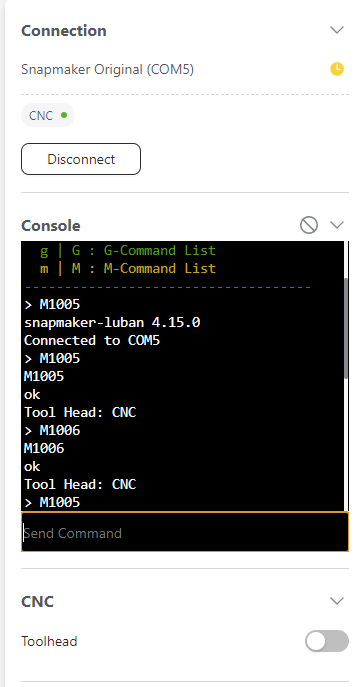
CNC 모듈 연결하면 메뉴가 더 없고, 버전정보도 없다.
다시 3D printer 모듈 연결하면 base 2.4로 표시됨
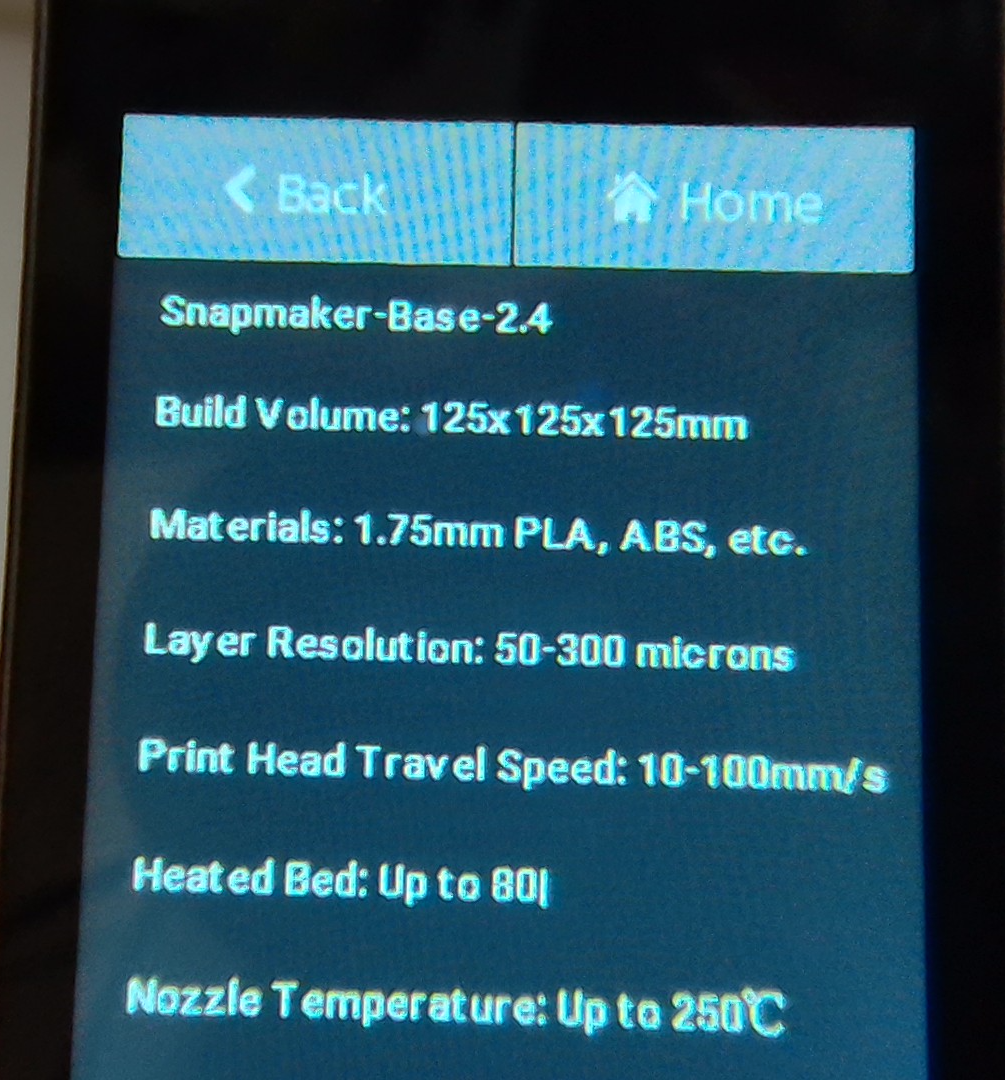
메뉴얼을 찾아보니 Luban에서 M1005를 입력하면 자세한 정보가 나온다고 함.
그런데 이것도 CNC모듈을 연결해서 하면 정보가 없고 3D Printer 모듈을 연결하면 아래처럼 나온다.
Base 2.4
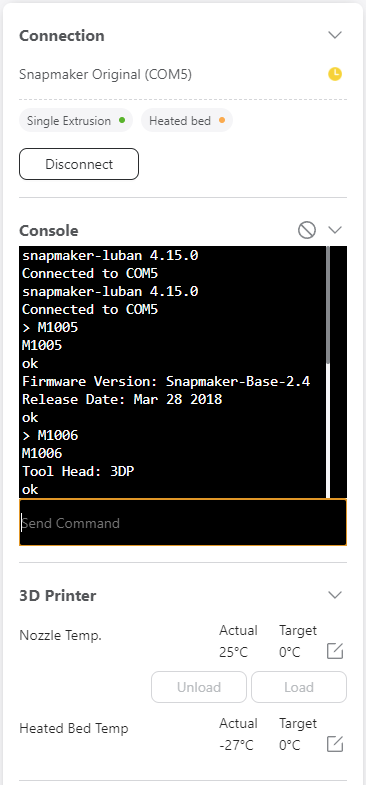
펌웨어는 USB로만 되는 것 같다. SDCard 지원 모델은 안해도 된다고 ?
Note:
If your printer comes with a microSD card, you don’t need to upgrade your firmware.Please follow these steps to check if your printer is upgraded successfully: connect the printer to the computer -> open Snapmakerjs -> In the console section, enter M1005 -> check the result. If the result is the same as the following picture shows, the upgrade was successful.
아무튼 https://forum.snapmaker.com/t/downloads-and-updates-for-firmware/1467 에서 2.11을 다운받아 제품에 있던 USB에 Update.Bin을 복사해서 프린터에 장착하고 전원을 켰다. 버전이 안바뀐다.
2.8 2.9 여러개를 해봐도 똑같다.ㅠㅠ
AI에게 물었더니 USB, Firmware 파일, ... 문제 이야기를 한다.
혹시나 싶어서 다이소에서 산 32GB USB에 복사하고 진행.
LED가 느리게 깜빡이다가 바로 부팅.
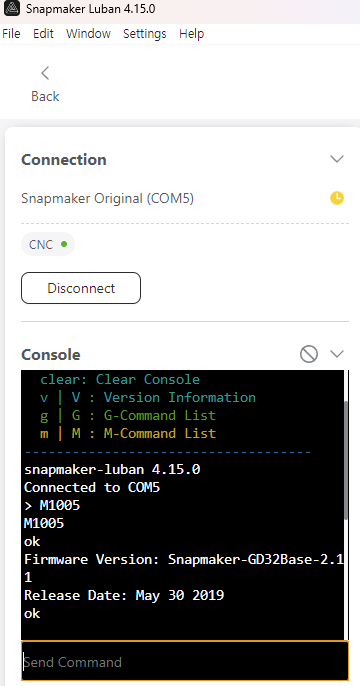
너무 빨리된 것 같아 이상하다 싶어 확인하니 업데이트 가 되었다.
2.11
https://wiki.snapmaker.com/en/snapmaker_original
Snapmaker Original
wiki.snapmaker.com
https://www.youtube.com/watch?v=GCxzZwxJ_mU
'IT > 3D Printer, CNC' 카테고리의 다른 글
| [3DP] Snapmaker 레일 분해: 유지 보수 (1) | 2026.06.03 |
|---|---|
| [CNC] 비트 관련 용어 정리 @Snapmaker (0) | 2026.06.03 |
| [3DP] Snapmaker 3-in-1 Original (0) | 2026.05.31 |
| [3DP] Full Graphic Smart Controller? (0) | 2026.05.11 |
| [3DP] Ender-3 V2 Neo 보드 (0) | 2026.05.01 |
'IT/3D Printer, CNC' Related Articles
more


