

Notice
Recent Posts
Recent Comments
Link
| 일 | 월 | 화 | 수 | 목 | 금 | 토 |
|---|---|---|---|---|---|---|
| 1 | 2 | 3 | 4 | 5 | 6 | |
| 7 | 8 | 9 | 10 | 11 | 12 | 13 |
| 14 | 15 | 16 | 17 | 18 | 19 | 20 |
| 21 | 22 | 23 | 24 | 25 | 26 | 27 |
| 28 | 29 | 30 |
Tags
- 피코프레소 #ITOP40
- VMware #Shared Folder
- Java #MacBook #macOS
- Octave #homebrew #macOS
- egpu #aorus gaming box #gtx1070 #tb3
- cycloidal #rv reducer
- macro lens #EF #FD
- Oh My Zsh #macOS
- Laptop #CPUID
- Linux #VirtualBox
- Tarantula #3D 프린터
- k6 #피코프레소
- VirtualBox #VMware
- Callaway #Mavrik #Epic Flash
- 매크로렌즈 #리버스링
- ESP32 #Arduino
- razer #deathadder #viper #g102
- CM-EF-NEX
- XTU #Virtual Machine System
- Xeon #E5-2680
- ITOP40
- fat32 #rufus
- centos7 #yum update #/boot
- VNC #Firewall #CenOS7 #VMware
- Arduino #Wall Plotter
- 다이슨 #배터리
- Dell #Latitude #BIOS
- x99 itx/ac
- Arduino #PlatformIO #macOS
- TensorFlow #Python #pip
Archives
- Today
- Total
얕고 넓게
[AI] text-generation-webui @Windows11 본문
2025.08.08
open-webui는 설치 실행 되었고,
기존에 LoRA등 파인 튜닝을 위해 text-generation-webui 설치
uv 환경은 깔았으니 쉽게 되려나.
우선 Git 설치
Git - Downloading Package
Download for Windows Click here to download the latest (2.50.1) x64 version of Git for Windows. This is the most recent maintained build. It was released on 2025-07-08. Other Git for Windows downloads Standalone Installer Git for Windows/x64 Setup. Git for
git-scm.com
코파일럿 설명
git clone https://github.com/oobabooga/text-generation-webui.git
cd text-generation-webui
python -m venv venv
venv\Scripts\activate
pip install -r requirements.txt
uv로 변경한 해서 실행
git clone https://github.com/oobabooga/text-generation-webui.git
.venv\Scripts\activate
cd text-generation-webui
uv pip install -r requirements.txt
requirements 파일은 없고 디렉토리만 있음
그냥 실행해본다 -> 바로 에러
(.venv) C:\Users\blackonyx\text-generation-webui>python server.py
╭───────────────────────────────────────── Traceback (most recent call last) ──────────────────────────────────────────╮
│ C:\Users\blackonyx\text-generation-webui\server.py:6 in <module>                                                     │
│                                                                                                                      │
│     5                                                                                                                │
│ ❱   6 from modules import shared                                                                                     │
│     7 from modules.block_requests import OpenMonkeyPatch, RequestBlocker                                             │
│
어라 requirments.txt 가 있다!!
(.venv) C:\Users\blackonyx\text-generation-webui>uv pip install -r requirements\full\requirements.txt
Using Python 3.11.13 environment at: C:\Users\blackonyx\.venv
Resolved 129 packages in 1m 27s
⠧ Preparing packages... (45/50)
triton-windows            ------------------------------ 31.02 MiB/38.18 MiB
exllamav3                 ------------------------------ 60.82 MiB/68.77 MiB
bitsandbytes              ------------------------------ 30.72 MiB/68.85 MiB
exllamav2                 ------------------------------ 60.94 MiB/131.26 MiB
llama-cpp-binaries        ------------------------------ 60.72 MiB/628.53 MiB
드디어 다시 실행
(.venv) C:\Users\blackonyx\text-generation-webui>python server.py
00:58:06-424658 INFO     Starting Text generation web UI

Running on local URL:  http://127.0.0.1:7860
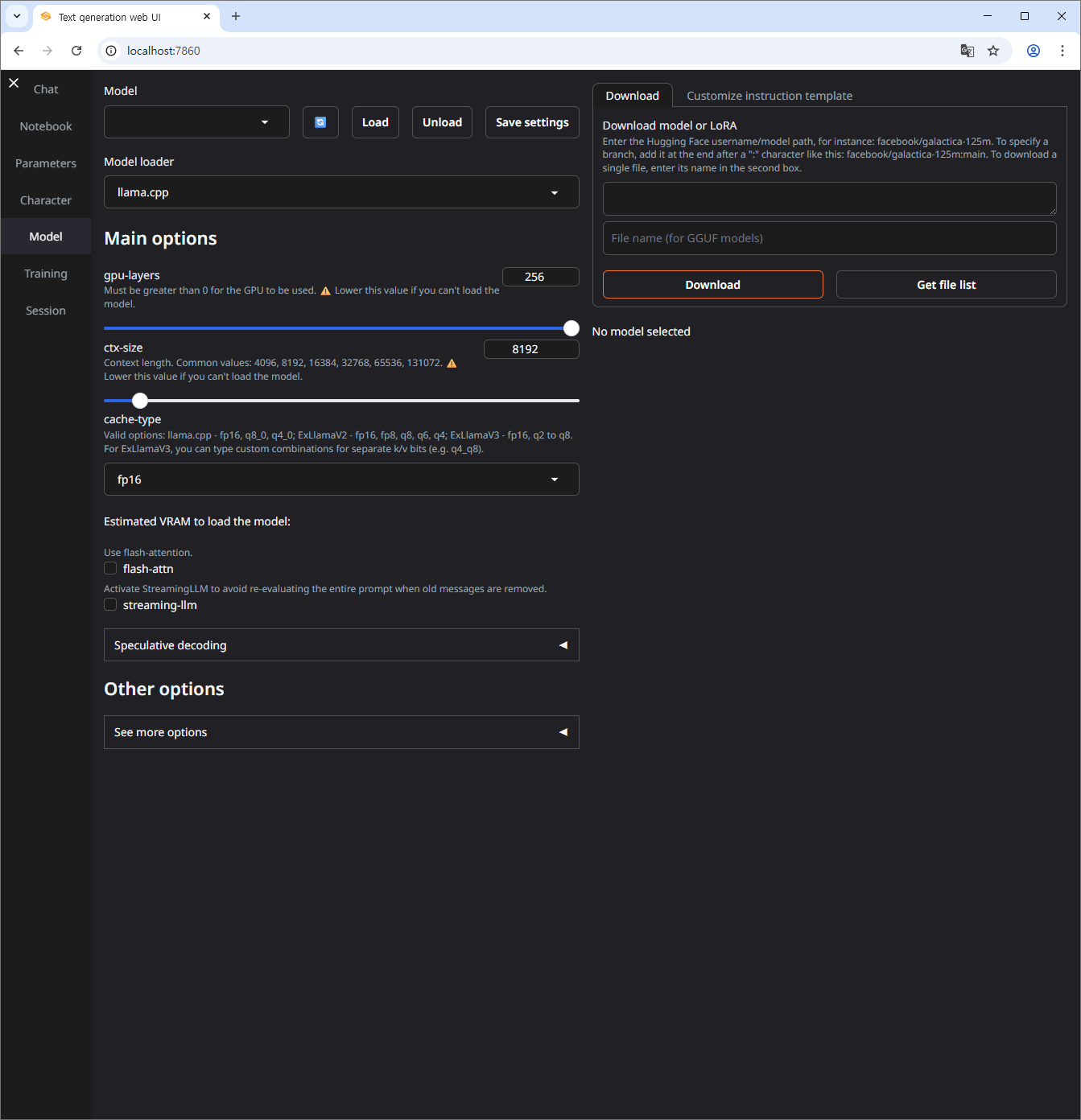
일단 여기까지
2025.08.08
파워쉘에서 실행안되는 것 검색
파웨쉘 관리자 모드로 실행한 후 아래 옵션 설정
Set-ExecutionPolicy -ExecutionPolicy RemoteSigned -Scope CurrentUser
실행 후 채팅하면 아래처럼 모델파일이 없다고 나옴
16:51:23-515611 ERROR    No model is loaded.

                         To get started:
                         1) Place a GGUF file in your user_data/models folder
                         2) Go to the Model tab and select it
모델 다운로드
1. 로그인
(.venv) PS C:\Users\blackonyx\text-generation-webui> huggingface-cli login
⚠️  Warning: 'huggingface-cli login' is deprecated. Use 'hf auth login' instead.

    _|    _|  _|    _|    _|_|_|    _|_|_|  _|_|_|  _|      _|    _|_|_|      _|_|_|_|    _|_|      _|_|_|  _|_|_|_|
    _|    _|  _|    _|  _|        _|          _|    _|_|    _|  _|            _|        _|    _|  _|        _|
    _|_|_|_|  _|    _|  _|  _|_|  _|  _|_|    _|    _|  _|  _|  _|  _|_|      _|_|_|    _|_|_|_|  _|        _|_|_|
    _|    _|  _|    _|  _|    _|  _|    _|    _|    _|    _|_|  _|    _|      _|        _|    _|  _|        _|
    _|    _|    _|_|      _|_|_|    _|_|_|  _|_|_|  _|      _|    _|_|_|      _|        _|    _|    _|_|_|  _|_|_|_|

    To log in, `huggingface_hub` requires a token generated from https://huggingface.co/settings/tokens .
Token can be pasted using 'Right-Click'.
Enter your token (input will not be visible):
Add token as git credential? (Y/n) Y
Token is valid (permission: read).
The token `hf_read` has been saved to C:\Users\blackonyx\.cache\huggingface\stored_tokens
Your token has been saved in your configured git credential helpers (manager).
Your token has been saved to C:\Users\blackonyx\.cache\huggingface\token
Login successful.
The current active token is: `hf_read`
2. 다운로드
(.venv) PS C:\Users\blackonyx\text-generation-webui\user_data\models> huggingface-cli download Qwen/Qwen-Image
⚠️  Warning: 'huggingface-cli download' is deprecated. Use 'hf download' instead.
Fetching 31 files:   0%|                                                                        | 0/31 [00:00<?, ?it/s]Downloading 'text_encoder/model-00001-of-00004.safetensors' to 'C:\Users\blackonyx\.cache\huggingface\hub\models--Qwen--Qwen-Image\blobs\d725335e4ea2399be706469e4b8807716a8fa64bd03468252e9f7acf2415fee4.incomplete'
Xet Storage is enabled for this repo, but the 'hf_xet' package is not installed. Falling back to regular HTTP download. For better performance, install the package with: `pip install huggingface_hub[hf_xet]` or `pip install hf_xet`
'IT > AI.ML' 카테고리의 다른 글
| [AI] 개발 환경 이동 @Windows11 (0) | 2025.08.11 |
|---|---|
| [AI] Qwen-Image @Windows11 (0) | 2025.08.08 |
| [AI] open-webui 설치 @Windows11 (3) | 2025.08.07 |
| [AI] Ollama 모든 것 (0) | 2025.04.15 |
| [AI] text-generation-webui @Ubuntu (0) | 2025.04.11 |
'IT/AI.ML' Related Articles
more

